Treasury & budget tracking
Every club and every organization has a real financial dashboard: real-time balance, detailed transaction history and a projection of upcoming spending. It's the tool to manage the budget, anticipate wages and keep your club afloat.
| Treasury | Access |
|---|---|
| Team (club) | Captain (GM) — "Only the General Manager sees the treasury." |
| Organization | Owner / Admin — "Access reserved for owners and admins." |
The dashboard
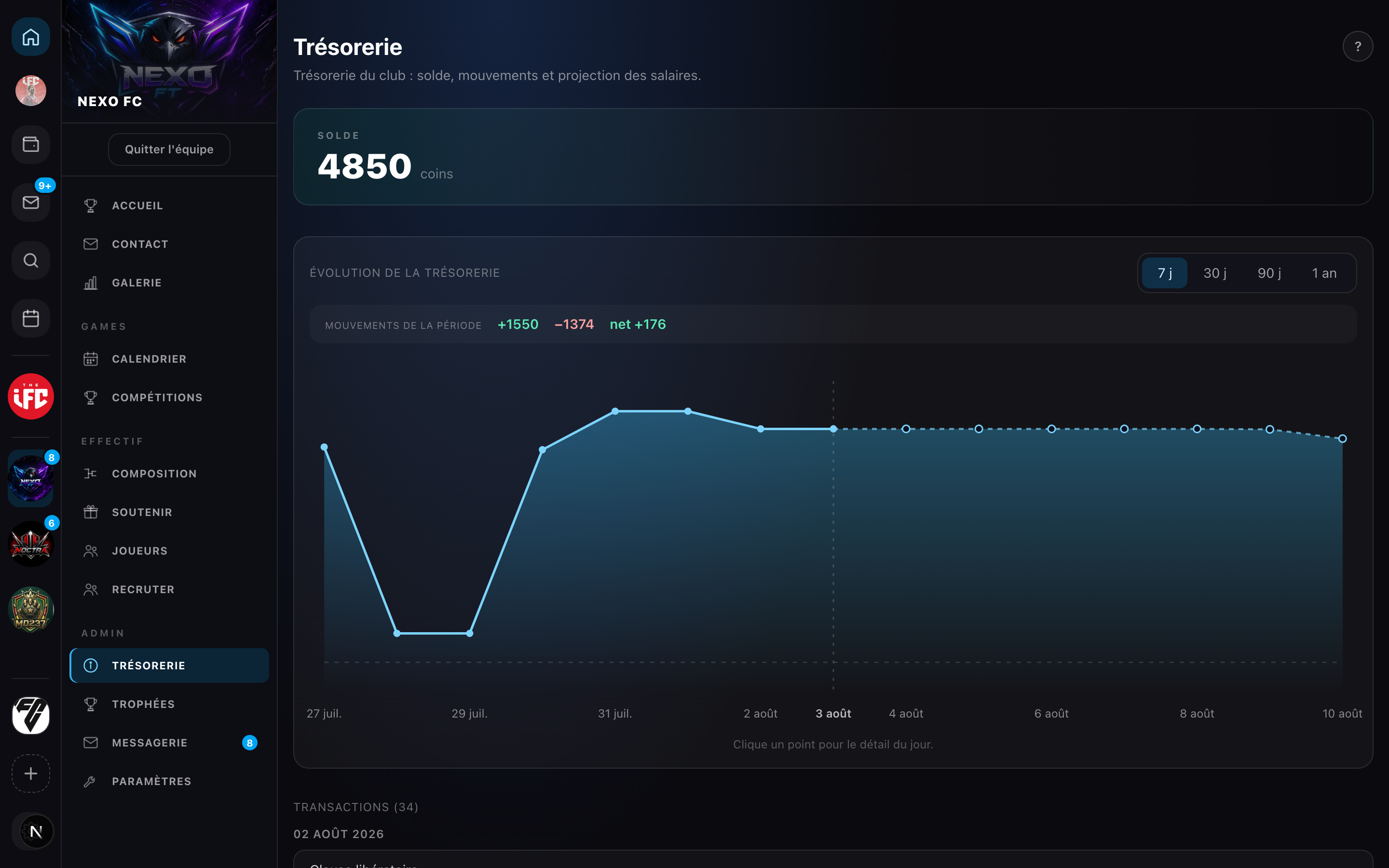
The balance
At the top, the available balance, in coins.
Trend chart
The "Treasury over time" chart traces the balance over time:
- a period of your choice: 7 days, 30 days, 90 days or 1 year (each point's balance is recomputed from the transactions);
- the movements over the period follow the selected filter: total inflows (+), outflows (−) and the net;
- for a club, a projection of the next 7 days (upcoming wages) as a dotted line, separated by a "today" marker.
The projection is calculated from your active contracts: you can see in advance the impact of weekly wages on the balance, and therefore the moment when the budget might run short.
Hover over a point for the date and projected balance. Click a day to break down its movements and the day's net.
Transaction history
The full list, grouped by day, most recent first. Each row shows the type of movement and the signed amount: +X (inflow, green) or −X (outflow, red). A See more button loads earlier history.
Movement types
| Direction | Movements |
|---|---|
| − Outflow | Weekly wage · signing bonus · transfer fee paid · release compensation |
| + Inflow | Transfer fee received · release clause received |
Why track it
An insufficient available balance blocks key actions: creating a contract (bonus + 1st week), paying a wage, paying a clause, or launching a transfer offer. The dashboard and its projection save you from a nasty surprise. See Coins and Wages & clause.