The match page
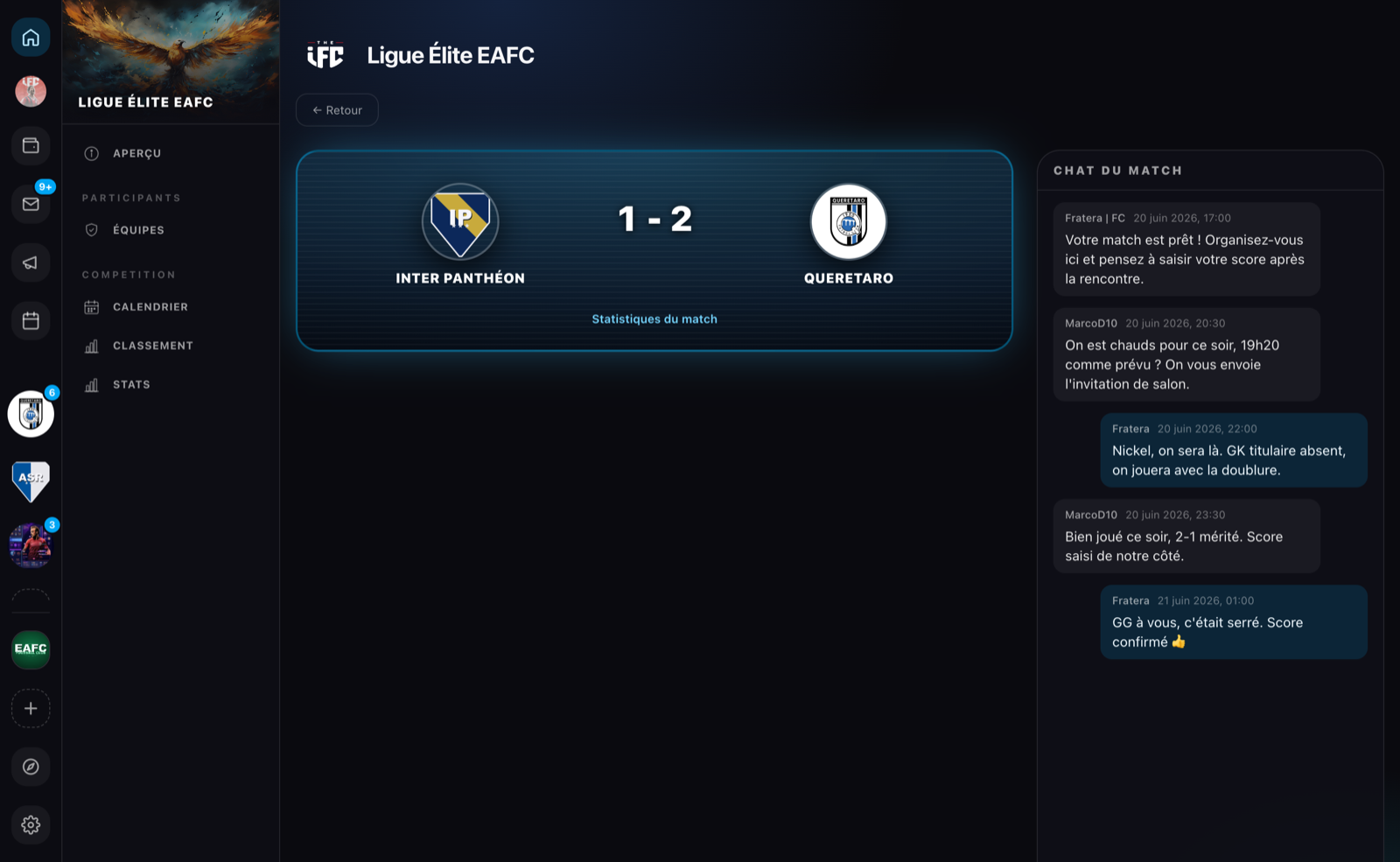
Every match of a competition now has its dedicated page: clicking a match (in the groups, the finals, the calendar or the admin view) opens it. Everything happens there: score, date, stats and the match chat.
What you find there
| Block | Content |
|---|---|
| Poster | The two teams, the date or the score, the winner highlighted |
| Score entry | Home / Away fields, depending on your rights |
| Date editor | Reserved for the competition admin |
| Stats | Match recap once it has been played |
| Match chat | Discussion thread between the two teams |
The match chat
As soon as both opponents of a match are known, a match chat opens on its page:
- it is reserved for the captains and co-captains of the two teams, who write on behalf of their team;
- messages arrive in real time, just like in messaging;
- it is there to get organized: platform, exact time, sharing the result.
If a team is replaced in the competition, the thread is reset with the new opponent.
The organizer stepping in
The staff of the organization hosting the competition can join a match chat, for example to settle a dispute:
- their arrival is announced by a system message visible to both teams: the intervention is never silent;
- their messages appear in a centered bubble with an Organizer badge;
- they see the full thread history and can write, then leave the intervention once the dispute is settled.
Need help with a match?
Contact the host organization via the Contact button on its page: its staff can join your match chat to referee.